🐻‍❄️ Free for your whole team

Everything your team needs. Free.

Posts, tasks, kanban boards, chat, files and a shared calendar in every project. Plus an AI notetaker that joins your calls and an assistant that handles the busywork. No plans, no seats to count, no credit card.

Create your free account Take the tour
  • Free
  • No credit card
  • Set up in a minute
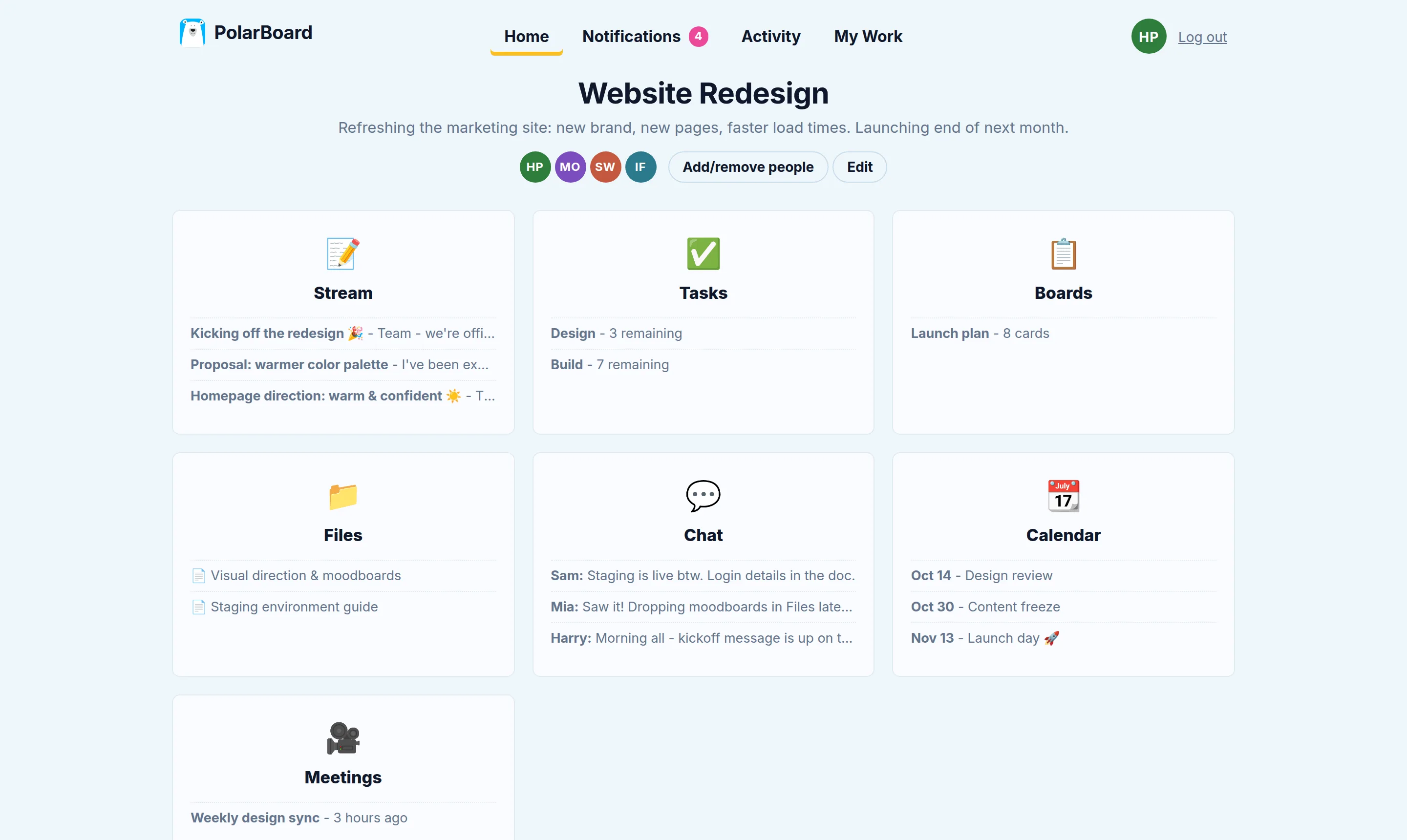
A PolarBoard project with its Stream, Tasks, Boards, Files, Chat, Calendar and Meetings

Seven tools in every project:  📝 Stream · ✅ Tasks · 📋 Boards · 💬 Chat · 📁 Files · 📆 Calendar · 🎥 Meetings

Stop paying for five apps.

Most small teams stitch together a chat app, a task tracker, a kanban tool, file sharing and a meeting notetaker, then pay for each one, per person, every month. PolarBoard puts all of it in one place, for nothing.

The usual pile

  • Team chat per person / month
  • Task tracker per person / month
  • Kanban boards per person / month
  • File sharing per person / month
  • AI meeting notes per person / month
PolarBoard

All of it, for the whole team

€0

Every project comes ready to go.

No setup, no templates to choose, no wrong way to start. Open a project and every tool is already there.

📝

Stream

Announcements, updates and ideas, written up with headings, lists and images, and discussed in the comments.

✅

Tasks

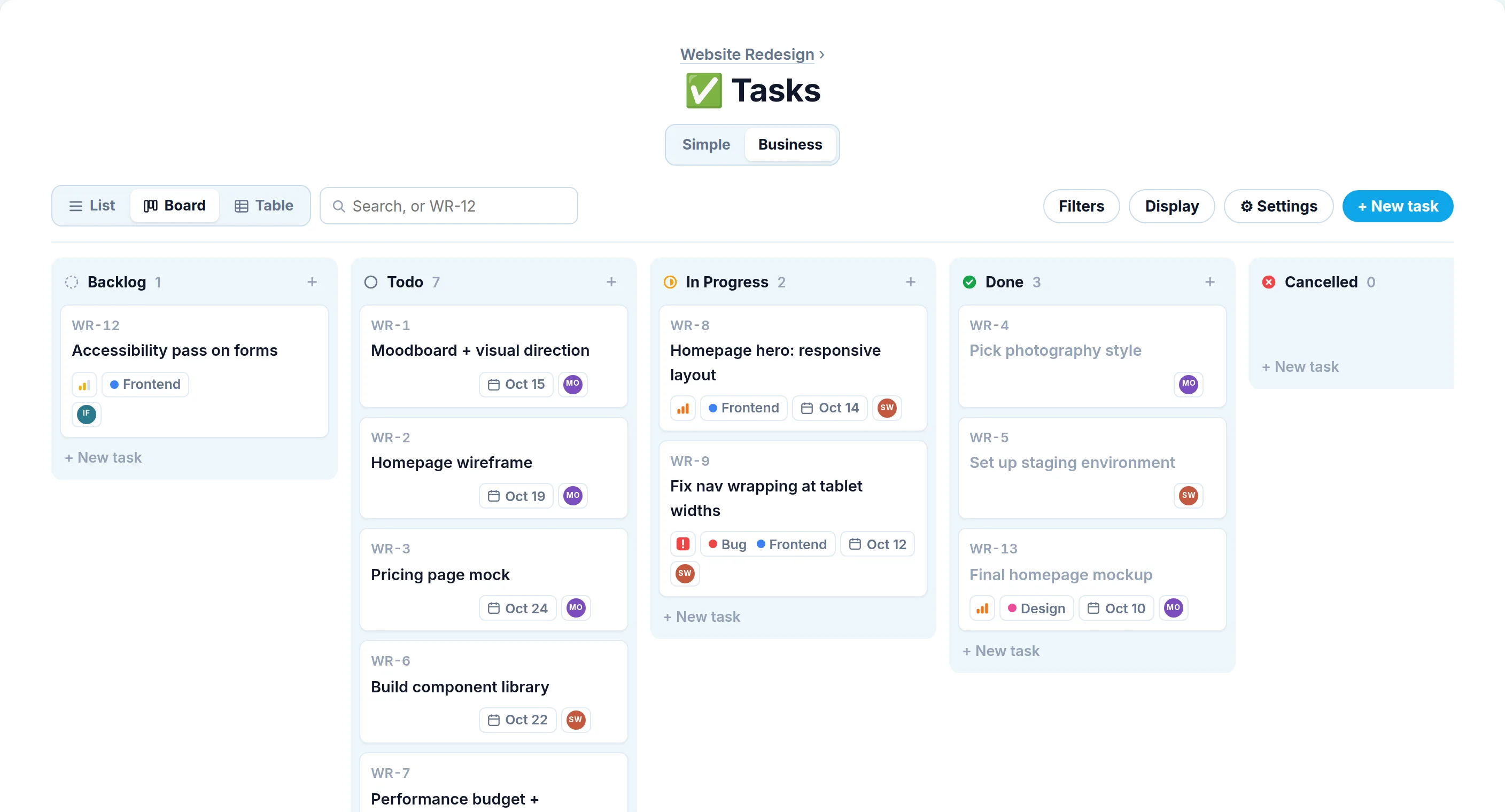
To-do lists with owners, due dates, checklists and repeats. Switch to Business mode for states, priorities and labels.

📋

Boards

Kanban for work that moves in stages. Drag cards across columns and add labels, an owner and files.

💬

Chat

A relaxed group chat in every project, for the quick stuff that doesn’t need a post.

📁

Files

Folders for uploads and written docs, so nobody has to ask where the latest version is.

📆

Calendar

Reviews, deadlines and launch days on one shared list of what’s coming up.

🎥

Meetings

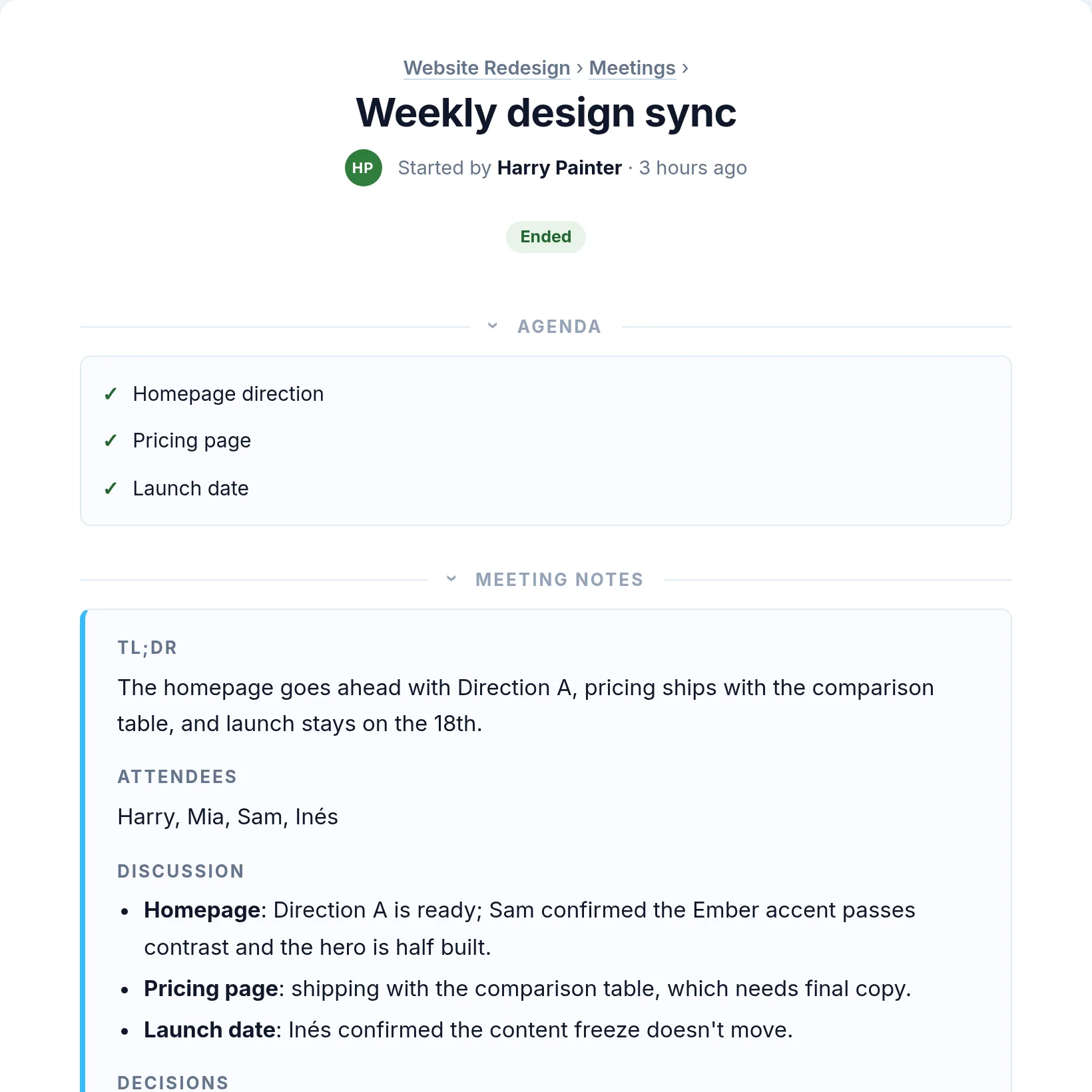
An AI notetaker joins your call, transcribes it and writes up the decisions and action items.

🐻‍❄️

AI assistant

Ask the bear to set up a board, add tasks or post an update. It checks with you before it changes anything.

🎥 Meetings

Paste a link.
Get the notes.

  1. Paste your call link. Google Meet, Zoom or Microsoft Teams all work.
  2. The notetaker joins. Someone lets it in, and it quietly transcribes every word.
  3. The notes write themselves. Decisions, action items and owners update as you talk, and the finished notes land in the project when you hang up.

Meeting in person? Record from your browser instead. See everything Meetings can do →

Meeting notes for a weekly design sync: agenda ticked off, TL;DR, discussion, decisions and action items

Simple when you want it. Serious when you need it.

Start with plain to-do lists. When the work grows, switch to Business mode for workflow states, priorities, labels, task IDs and a board view, without moving anything.

Tasks in Business mode, shown as a board grouped into Backlog, Todo, In Progress, Done and Cancelled

🐻‍❄️ AI assistant

Just ask
the bear.

Tap Ask on any page and say what you need in plain words. It sets up boards, adds and assigns tasks, posts updates, books events and finds things across your projects.

Every change is shown to you first. Nothing happens until you approve it. Meet the assistant →

Nothing slips past the bear.

Three views across all your projects keep everyone in the loop without a single status meeting.

🔔

Notifications

Everything that happened since you last looked: posts, comments, finished tasks and meeting notes.

📈

Activity

The story of every project, day by day. Perfect for catching up after a week off.

🙌

My Work

Your tasks from every project on one page, plus a morning email of what’s due.

Up and running in a minute.

There’s nothing to install and nothing to configure.

Sign up free

Your name, email and a password. That’s the whole form.

Start a project

Give it a name and all seven tools are ready. You also get a private Personal project for your own to-dos.

Bring your team

Teammates sign up free too, then you add them to the projects they need.

Create your free account

Questions, answered.

Is PolarBoard really free?

Yes. There are no paid plans and no trial that runs out. Sign up and every feature is yours, for every person on your team.

Do I need a credit card?

No. Signing up takes your name, your email address and a password. Nothing else.

How many people can join?

As many as you like. Each person creates their own free account, and then you add them to the projects they need.

Which video call apps does the notetaker work with?

Google Meet, Zoom and Microsoft Teams. Paste the call link and the PolarBoard Notetaker joins once someone lets it in. Meeting in person? Record from your browser, or upload a recording afterwards.

Do I need to install anything?

No. PolarBoard runs in your web browser, on your computer or your phone.

Who makes PolarBoard?

PolarBoard is made in Spain by Hola Money SL.
Bring the whole team aboard.

Your first project is ready about a minute after you sign up. The bear’s waiting.

Create your free account